EchoMe Platform Overview
A complete walkthrough of everything EchoMe can do, from uploading your first video to generating platform-ready content in your voice.
10 min read · Video walkthrough included
Watch the 20-minute walkthrough
Ara takes four members through the whole flow, from dropping a video to posting, live.
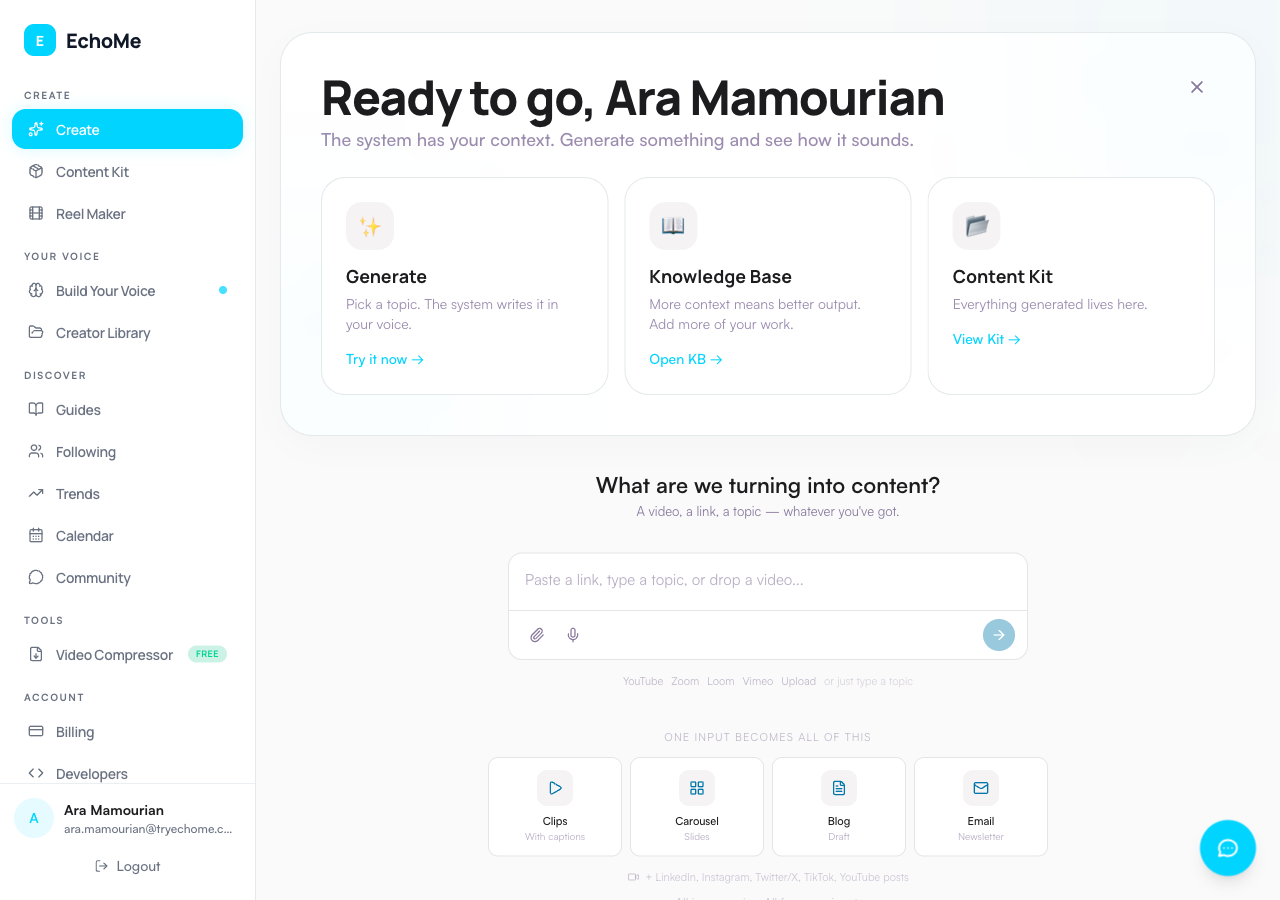
One input, every format
The Create page has a single unified input. You can:
- Paste a link: YouTube, Instagram, Loom, or Vimeo. EchoMe auto-detects the platform and asks what to make from it.
- Type a topic: Describe an idea, paste an article, or write a prompt.
- Drop a video file: Drag and drop directly onto the input.
- Record a voice note: Use the mic button inside the input bar to speak your idea.
Video upload guidelines
The hard cap on uploads is 5GB, but anything under 500MB processes noticeably faster and more reliably. Avoid 4K recordings. 1080p or 720p is ideal for EchoMe since it analyzes your speech, not pixel quality. Clips export at your source resolution, up to 1080p, so starting above 1080p buys you nothing.
Use HandBrake (free desktop app) or FreeConvert.com (browser-based) to compress before uploading.
Paste a video link instead
Instead of uploading a file, you can paste a URL from any of these platforms:
- YouTube
- Vimeo
- Loom
Just paste the URL into the Create input and hit submit. No separate upload step needed. YouTube and Instagram links can become clips and content, or train Your Voice, your choice. Loom and Vimeo recording links become clips and content only.
Video clip dashboard
After processing, EchoMe automatically extracts the best clips from your video. Each clip receives a strength score so you can prioritize the strongest moments.
When multiple speakers are detected, EchoMe generates both single-speaker and split-screen views so you can choose the best format for each platform.
8 caption styles
Choose from eight caption styles to match your brand:
- Modern
- Big & Bold
- Color Pop
- Karaoke
- Underline
- One at a Time
- Subtitle Bar
- Clean & Simple
Position captions at the top, center, or bottom of the frame. Preview everything in real-time before downloading.
Written content for every platform
EchoMe generates ready-to-post written content for:
- TikTok
- X / Twitter
- Newsletter
- Blog
- YouTube description
- Video script
Each post is written in your voice based on your voice profile. Copy and post directly, or schedule through your preferred tool.
Your Voice
Add sources via the unified input on the Your Voice page so Echo can match your style. You can:
- Paste social links: Import content from YouTube or Instagram.
- Drop files or paste URLs: Upload PDFs, articles, blog posts, or emails (Echo Studio+ for email).
- Record a voice note: Use the mic button inside the input bar. Just talk. Echo figures out the rest.
The more content you add, the better the voice matching becomes. EchoMe learns your tone, vocabulary, sentence structure, and perspective over time.
Content ideas from your voice profile
Ask Echo for content ideas based on your knowledge base. Use prompts like:
- "How close is the match?"
- "Describe my style"
- "What am I missing?"
Echo uses everything in your voice profile to suggest topics, angles, and formats that align with how you naturally communicate.
Follow other creators
Creator Radar, in Library under the Radar tab, lets you follow other creators. When they post new videos, you can write your take on their content, in your voice and context.
The output sounds like you, not them. EchoMe applies your voice profile to transform their ideas into your style and perspective.
Weekly office hours
Join live every Wednesday at 11:30 AM ET for support, questions, and tips. Available on the Community page inside EchoMe.
Related guides
- How to compress videos: Reduce file sizes before uploading for faster processing.
- How to upload emails: Import your emails so Echo learns how you communicate.
- Creating video content: Get the most out of your video uploads.
- Building your voice profile: Train Echo to write in your voice.