Reels & Caption Styles
Manage all your reels in the dedicated Reel Maker page. Choose from 8 distinct caption styles to match your brand and content type, then export at 1080p, ready for Instagram Reels, TikTok, or YouTube Shorts.
3 min read
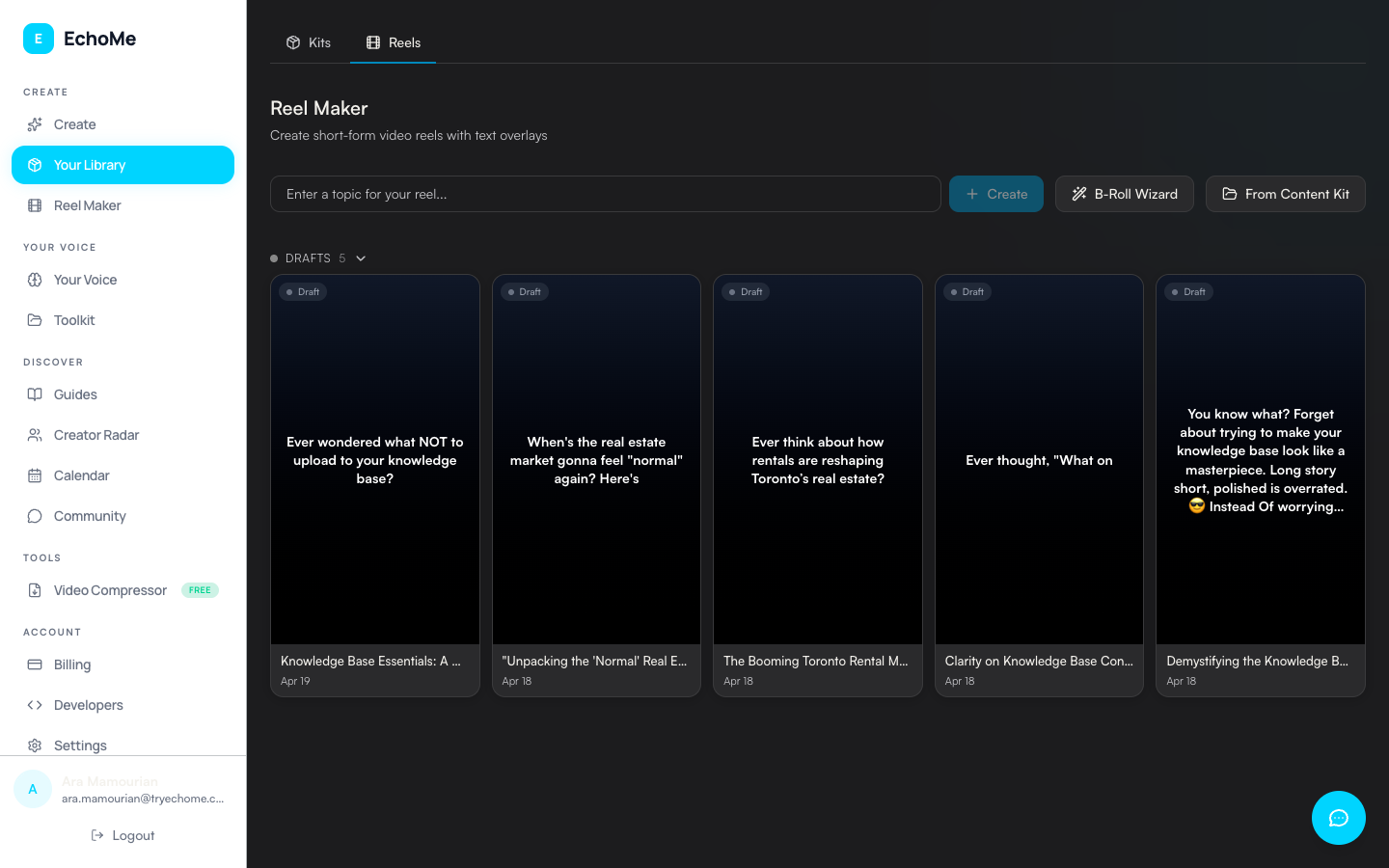
Beta access: The Reel Maker is currently in admin-only beta. The Reels tab in the sidebar and the ?tab=reels URL are gated to admin accounts. Request access via the chat widget if you want to try it.
Open the Reel Maker
Once you have beta access, open the Reels tab inside Your Library (/app/library?tab=reels). Your reels are organized in a status-grouped grid (Rendering, Drafts, Ready, and Earlier) so you can quickly find what you need.
Create new reels from the create bar
Use the compact create bar at the top of the Reel Maker to start a new reel. You can also access the B-Roll Wizard directly from the create bar to add cinematic b-roll footage to your clips.
Choose from 8 caption styles
EchoMe offers 8 caption styles, each designed for different content types:
- Modern: Clean sans-serif text
- Big & Bold: Large impact text
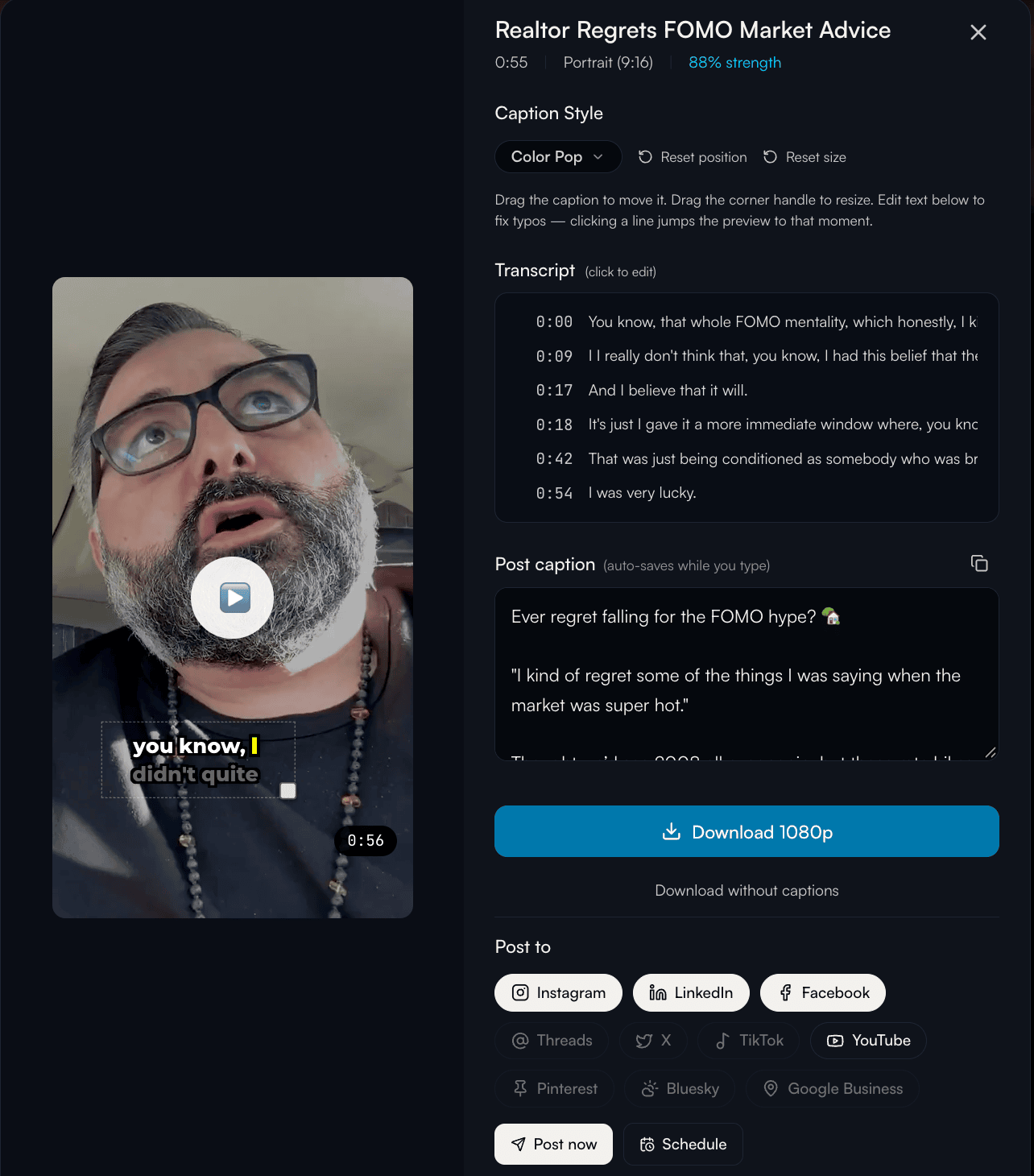
- Color Pop: Word-by-word highlight effect
- Karaoke: Color-fill animation
- Underline: Active word underlined
- One at a Time: One word at a time
- Subtitle Bar: Traditional subtitle styling
- Clean & Simple: Small lower-third placement
Change caption style per clip
Click the style selector on any clip card to switch between caption styles. Each clip can use a different style, mix and match to suit your content.
Drag to position. Drag a corner to resize.
Open any clip in the editor. Drag the caption block anywhere on the video and it stays. Drag the corner handle and the text scales to fit. Click any transcript line on the right to fix a typo. The caption updates live, the video preview jumps to that moment, and your edit gets baked into the next download.
Export at source resolution
The captions are burned directly into the video file. Output resolution matches your source, up to 1080p: a 1080p upload exports as a full 1080x1920 vertical clip. Single-speaker view follows whoever’s talking; split-screen view shows both speakers stacked. Download and post to Instagram Reels, TikTok, or YouTube Shorts. No extra editing needed.
Ready to create captioned reels from your videos?
Start Free: 5 Content KitsNo credit card required.